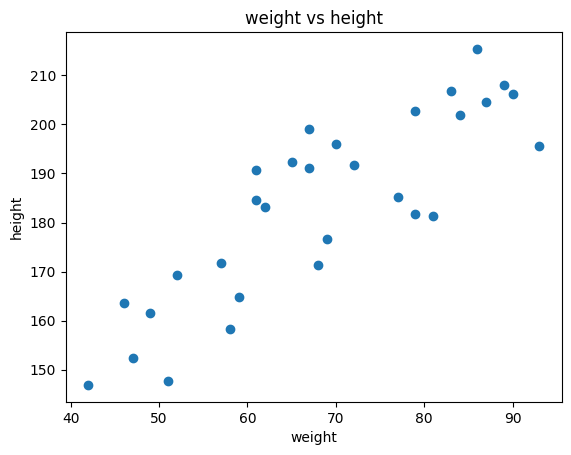
Task: Given height (feature/attribute), predict the weight
Example: Linear regression, logistic regression, decision tree, random forest, support vector machine, neural network
import matplotlib.pyplot as pltimport numpy as npfrom math import sqrtweight = np.random.randint(40, 100, 30)height = np.sqrt(weight /20) *100+ np.random.randint(-20, 20, 30)# plotplt.scatter(weight, height)plt.xlabel('weight')plt.ylabel('height')plt.title('weight vs height')plt.show()
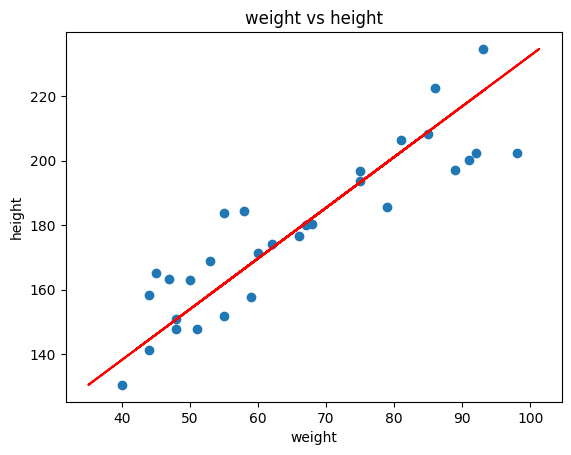
Problem: How to predict the weight of a person with height 175cm?
import matplotlib.pyplot as pltimport numpy as npfrom math import sqrtweight = np.random.randint(40, 100, 30)height = np.sqrt(weight /20) *100+ np.random.randint(-20, 20, 30)# implement linear regression using scikit to predict weight from heightfrom sklearn.linear_model import LinearRegressionmodel = LinearRegression()model.fit(height.reshape(-1, 1), weight)weight_pred = model.predict(height.reshape(-1, 1))# plotplt.scatter(weight, height)plt.xlabel('weight')plt.ylabel('height')plt.title('weight vs height')# plot the regression lineplt.plot(weight_pred, height, color='red')plt.show()
Unsupervised
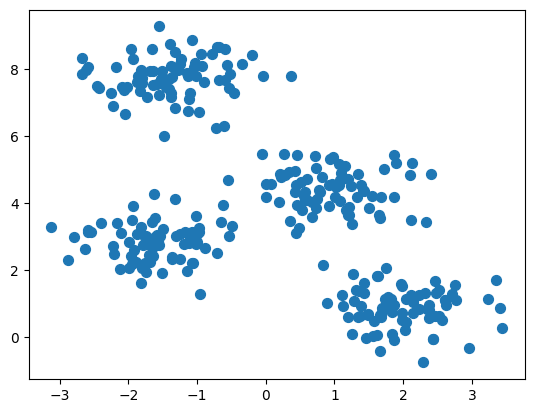
Label is not given, the task is to find the pattern in the data, e.g. anomaly detection, clustering
# Create a sample of clustering datafrom sklearn.datasets import make_blobsimport matplotlib.pyplot as plt# Generate sample dataX, y = make_blobs(n_samples=300, centers=4, cluster_std=0.60, random_state=0)# Plot the dataplt.scatter(X[:, 0], X[:, 1], s=50)plt.show()
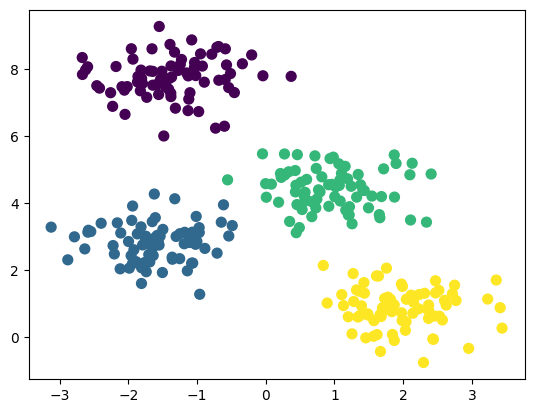
Without any label or target, predict which data belongs to which cluster
# Create a sample of clustering datafrom sklearn.datasets import make_blobsimport matplotlib.pyplot as plt# Generate sample dataX, y = make_blobs(n_samples=300, centers=4, cluster_std=0.60, random_state=0)# Implement K-NN clusteringfrom sklearn.cluster import KMeanskmeans = KMeans(n_clusters=4)kmeans.fit(X)y_pred = kmeans.predict(X)# Plot the clustering resultplt.scatter(X[:, 0], X[:, 1], c=y_pred, s=50, cmap='viridis')plt.show()
/Users/ruangguru/.pyenv/versions/3.11.1/lib/python3.11/site-packages/sklearn/cluster/_kmeans.py:870: FutureWarning: The default value of `n_init` will change from 10 to 'auto' in 1.4. Set the value of `n_init` explicitly to suppress the warning
  warnings.warn(
Semi Supervised
Combination of unsupervised and supervised learning
Example: Google Photos
Unsupervised: Grouping photos based on the face
Supervised: Ask the user to label the face with name
Google Photo
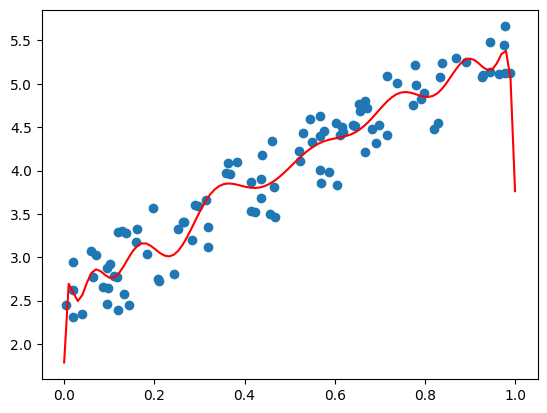
Overfitting
The model doesn’t generalize well, it memorizes the training data
# Create a sample X and Y dataimport numpy as npimport matplotlib.pyplot as plt# set seednp.random.seed(0)# Generate sample dataX = np.random.rand(100, 1)y =2+3* X + np.random.rand(100, 1)# Make a overfit regressionfrom sklearn.linear_model import LinearRegressionfrom sklearn.preprocessing import PolynomialFeaturesfrom sklearn.pipeline import make_pipelinemodel = make_pipeline(PolynomialFeatures(20), LinearRegression())model.fit(X, y)# Plot the dataplt.scatter(X, y)# draw the modelX_test = np.linspace(0, 1, 100)y_pred = model.predict(X_test.reshape(-1, 1))plt.plot(X_test, y_pred, color='red')plt.show()
Training Set & Test Set
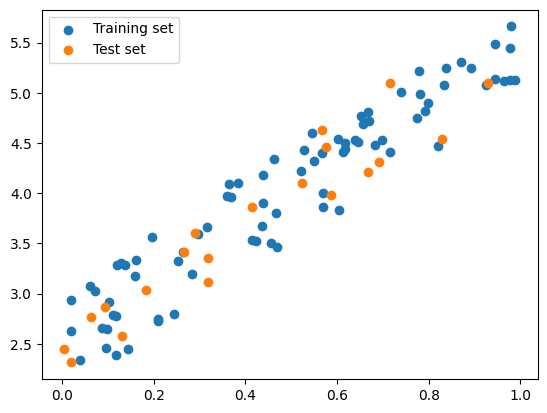
To prevent overfitting, we need to have a separate data to evaluate the model
One way to do it is to split the data into two sets:
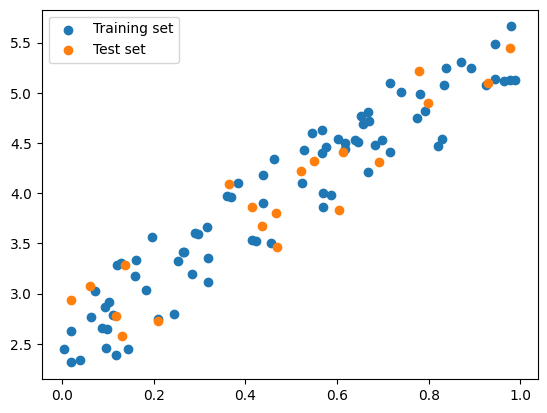
Training set: used to train the model
Test set: used to evaluate the model
When overfitting happen, the model will perform well on the training set but perform poorly on the test set
To split the data, we can do it manually or use train_test_split function from sklearn
# Split the data into training and test set manuallyimport numpy as npimport matplotlib.pyplot as plt# set seednp.random.seed(0)# Generate sample dataX = np.random.rand(100, 1)y =2+3* X + np.random.rand(100, 1)# Split the data into training and test set manuallyX_train, y_train = X[:80], y[:80]X_test, y_test = X[80:], y[80:]# Plot the training and test setplt.scatter(X_train, y_train, label='Training set')plt.scatter(X_test, y_test, label='Test set')plt.legend()plt.show()
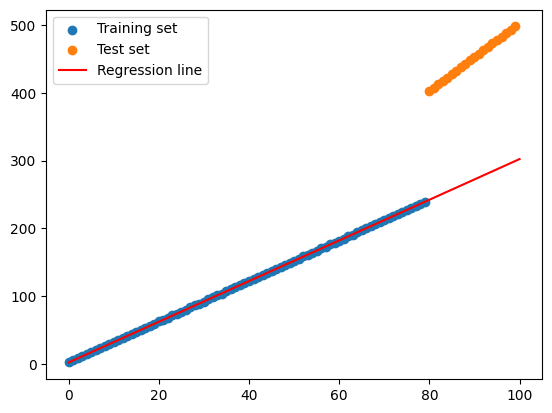
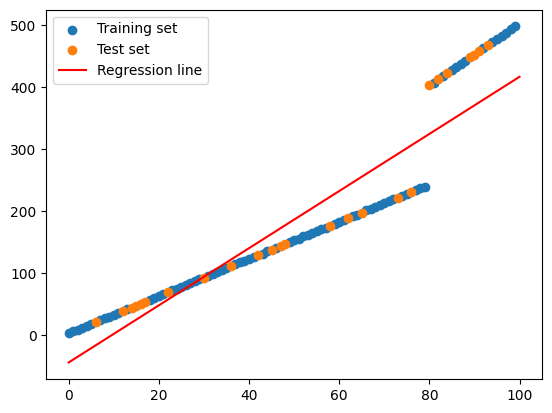
But be careful, the data should be shuffled first before splitting
Otherwise, the model will be trained on the same data distribution
# Split the data into training and test set manuallyimport numpy as npimport matplotlib.pyplot as plt# set seednp.random.seed(0)# Generate sample data# X being a 100 x 1 matrix, ordered from 0 to 100X = np.arange(100).reshape(100, 1)y =2+3* X + np.random.rand(100, 1)y[X >=80] =2+5* X[X >=80].flatten() + np.random.rand(len(X[X >=80]))# Split the data into training and test set manuallyX_train, y_train = X[:80], y[:80]X_test, y_test = X[80:], y[80:]# Train a linear regression modelmodel = LinearRegression()model.fit(X_train, y_train)# Plot the training and test setplt.scatter(X_train, y_train, label='Training set')plt.scatter(X_test, y_test, label='Test set')# Plot the regression lineX_test = np.linspace(0, 100, 100)y_pred = model.predict(X_test.reshape(-1, 1))plt.plot(X_test, y_pred, color='red', label='Regression line')plt.legend()plt.show()
# Split the data into training and test set manuallyimport numpy as npimport matplotlib.pyplot as plt# set seednp.random.seed(0)# Generate sample data# X being a 100 x 1 matrix, ordered from 0 to 100X = np.arange(100).reshape(100, 1)y =2+3* X + np.random.rand(100, 1)y[X >=80] =2+5* X[X >=80].flatten() + np.random.rand(len(X[X >=80]))# Split the data into training and test using scikitfrom sklearn.model_selection import train_test_splitX_train, X_test, y_train, y_test = train_test_split(X, y, shuffle=True) # Make sure it's shuffled # Train a linear regression modelmodel = LinearRegression()model.fit(X_train, y_train)# Plot the training and test setplt.scatter(X_train, y_train, label='Training set')plt.scatter(X_test, y_test, label='Test set')# Plot the regression lineX_test = np.linspace(0, 100, 100)y_pred = model.predict(X_test.reshape(-1, 1))plt.plot(X_test, y_pred, color='red', label='Regression line')plt.legend()plt.show()
Cross Validation
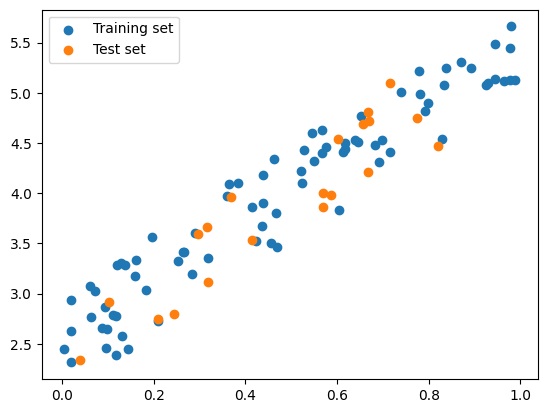
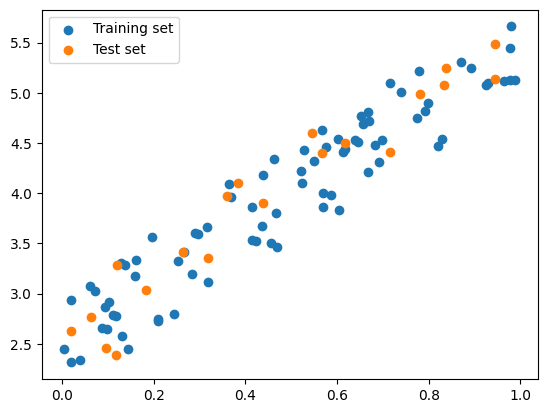
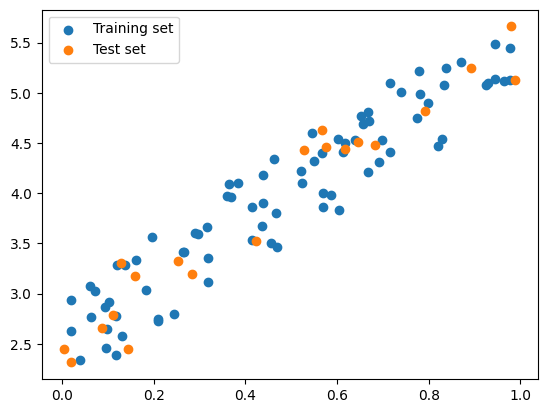
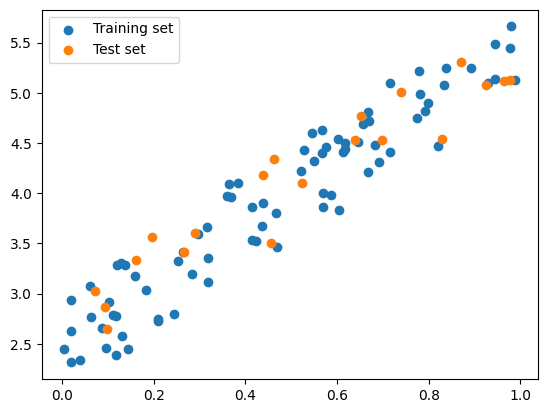
Cross validation is a technique to evaluate the model by splitting the data into training set and test set multiple times.
For example: 5-fold cross validation
Split the data into 5 folds
Train the model using 4 folds, evaluate the model using the remaining fold
Repeat the process 5 times, each time use different fold as test set
Calculate the average score
Cross Validation
import numpy as npfrom sklearn.linear_model import LinearRegressionfrom sklearn.model_selection import KFold, cross_val_score# Generate sample datanp.random.seed(0)X = np.random.rand(100, 1)y =2+3* X + np.random.rand(100, 1)# Initialize the linear regression modelmodel = LinearRegression()# Initialize the 5-fold cross-validation objectkf = KFold(n_splits=5, shuffle=True)# Train and evaluate the model on each foldfor train_index, test_index in kf.split(X):# Split the data into training and test sets for this fold X_train, X_test = X[train_index], X[test_index] y_train, y_test = y[train_index], y[test_index]# Fit the model on the training data for this fold model.fit(X_train, y_train)# Evaluate the model on the test data for this fold score = model.score(X_test, y_test)# Draw the plot plt.scatter(X_train, y_train, label='Training set') plt.scatter(X_test, y_test, label='Test set')# Show the plot plt.legend() plt.show()# Print the score for this foldprint(f"Fold score: {score:.2f}")# Compute the overall score across all foldsscores = cross_val_score(model, X, y, cv=kf)print(f"Overall score: {np.mean(scores):.2f}")
Fold score: 0.83
Fold score: 0.93
Fold score: 0.94
Fold score: 0.87
Fold score: 0.88
Overall score: 0.89
Regression vs Classification
Regression
Predict continuous value, e.g. predict the weight of a person (as shown in the supervised learning example)
Classification
Classify the data into different classes, e.g. classify the email into spam or not spam
/Users/ruangguru/.pyenv/versions/3.11.1/lib/python3.11/site-packages/sklearn/datasets/_openml.py:968: FutureWarning: The default value of `parser` will change from `'liac-arff'` to `'auto'` in 1.4. You can set `parser='auto'` to silence this warning. Therefore, an `ImportError` will be raised from 1.4 if the dataset is dense and pandas is not installed. Note that the pandas parser may return different data types. See the Notes Section in fetch_openml's API doc for details.
  warn(
X = mnist['data']y = mnist['target']print(X.shape, y.shape)
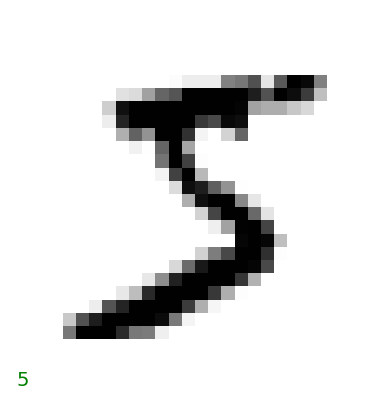
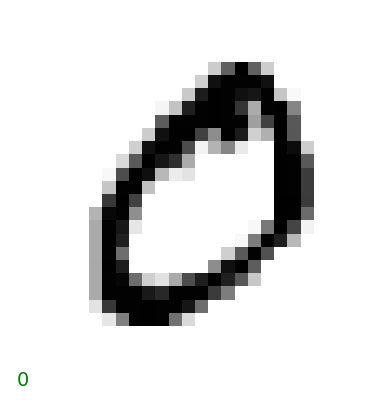
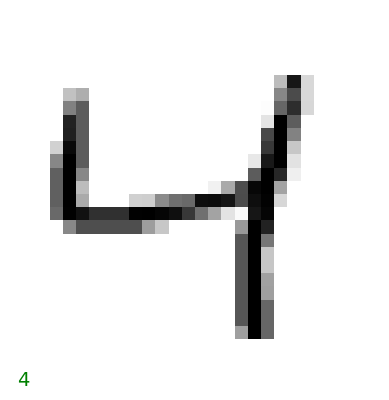
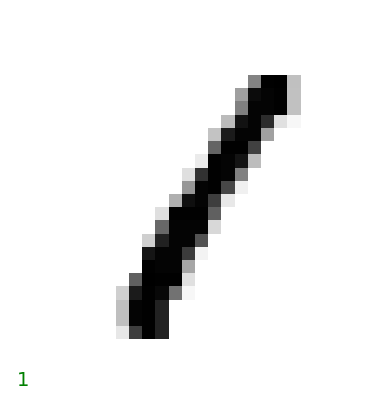
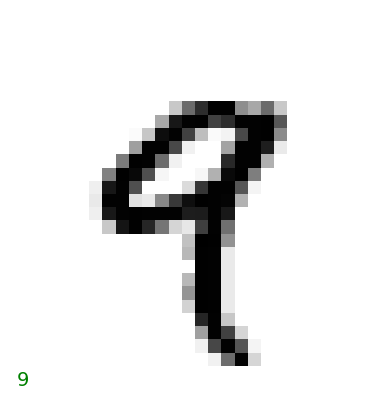
# Plot the first 20 imagesimport matplotlib.pyplot as pltfor i inrange(5): some_digit = X.iloc[i] some_digit_image = some_digit.values.reshape(28, 28) plt.imshow(some_digit_image, cmap='binary') plt.axis('off')# Draw label y on the bottom plt.text(0, 28, y[i], fontsize=14, color='g') plt.show()
This is classification problem.
Given images, classify the images into correct numbers
Confusion Matrix
Classification matrix needs different metrics to evaluate the model. And the objective metrics can be different for different problems.
Confusion matrix is a table to visualize the performance of the classification model
Example of Confusion Matrix
Predicted: Not Spam
Predicted: Spam
Actual: Not Spam
True Negative
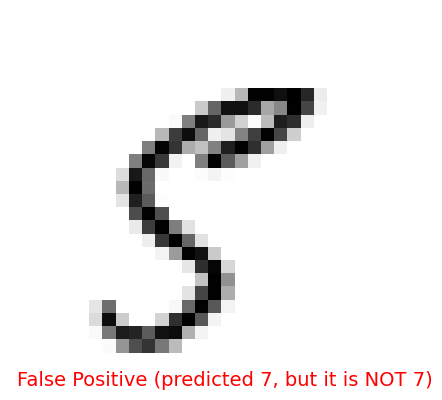
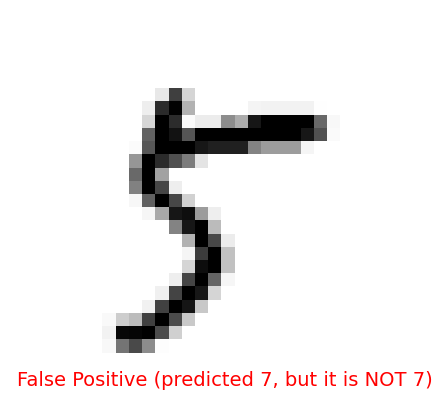
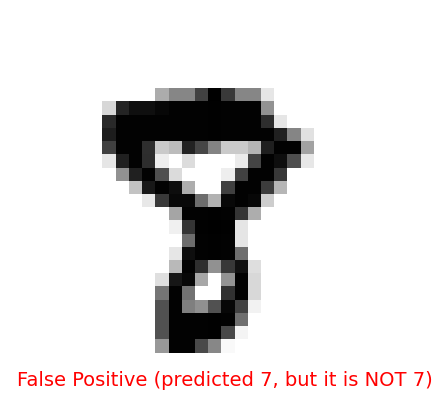
False Positive
Actual: Spam
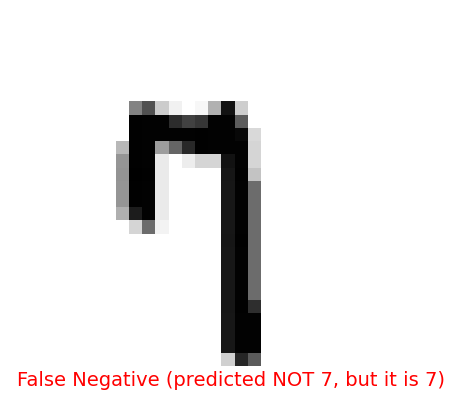
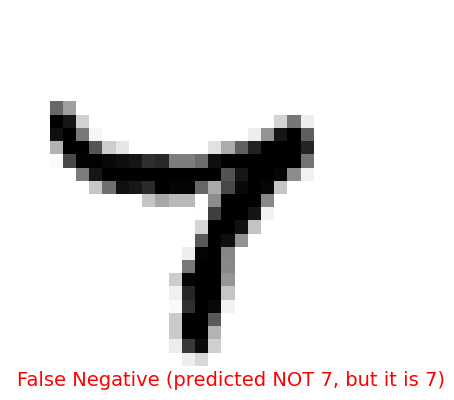
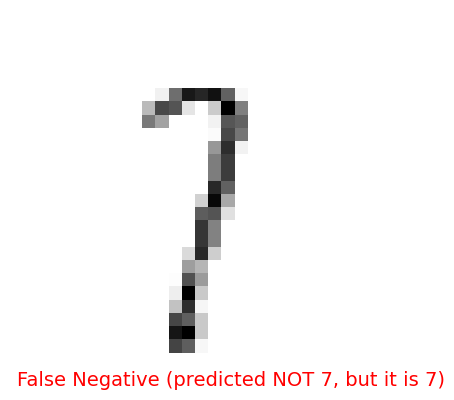
False Negative
True Positive
import matplotlib.pyplot as plt# split the data into train and testtrain_size =60000train_X, test_X = X[:train_size], X[train_size:]train_y, test_y = y[:train_size], y[train_size:]is_7_train = train_y =='7'is_7_test = test_y =='7'# Train the modelfrom sklearn.linear_model import SGDClassifiersgd_clf = SGDClassifier(random_state=42)sgd_clf.fit(train_X, is_7_train)
SGDClassifier(random_state=42)
In a Jupyter environment, please rerun this cell to show the HTML representation or trust the notebook. On GitHub, the HTML representation is unable to render, please try loading this page with nbviewer.org.
# Draw the false positiveimport matplotlib.pyplot as pltfalse_positive = (is_7_test ==False) & (y_pred ==True)false_positive_images = test_X[false_positive]for i inrange(3): some_digit = false_positive_images.iloc[i] some_digit_image = some_digit.values.reshape(28, 28) plt.imshow(some_digit_image, cmap='binary') plt.axis('off')# Draw label y on the bottom plt.text(0, 28, 'False Positive (predicted 7, but it is NOT 7)', fontsize=14, color='r') plt.show()
False Negative
# Draw the false negativeimport matplotlib.pyplot as pltfalse_negative = (is_7_test ==True) & (y_pred ==False)false_negative_images = test_X[false_negative]for i inrange(3): some_digit = false_negative_images.iloc[i] some_digit_image = some_digit.values.reshape(28, 28) plt.imshow(some_digit_image, cmap='binary') plt.axis('off')# Draw label y on the bottom plt.text(0, 28, 'False Negative (predicted NOT 7, but it is 7)', fontsize=14, color='r') plt.show()
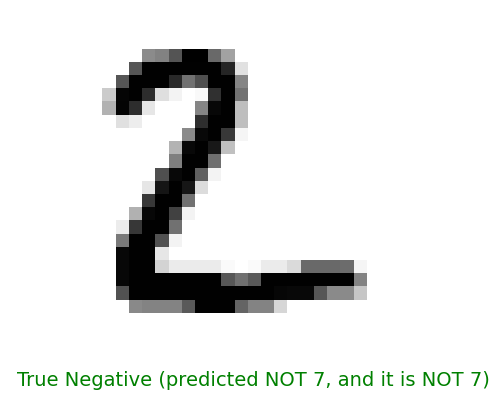
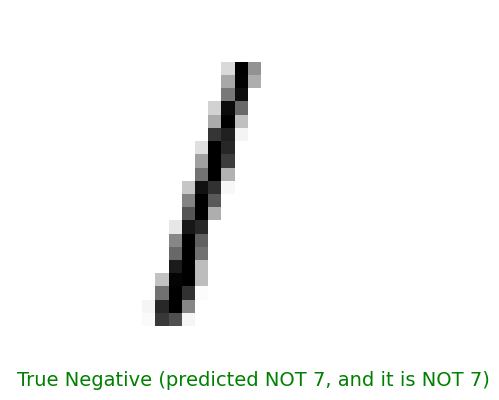
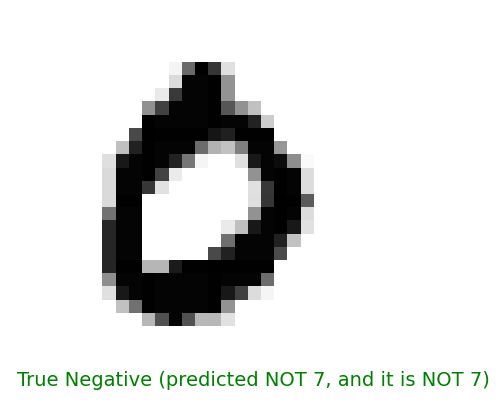
True Negative
# Draw the true negativeimport matplotlib.pyplot as plttrue_negative = (is_7_test ==False) & (y_pred ==False)true_negative_images = test_X[true_negative]for i inrange(3): some_digit = true_negative_images.iloc[i] some_digit_image = some_digit.values.reshape(28, 28) plt.imshow(some_digit_image, cmap='binary') plt.axis('off')# Draw label y on the bottom plt.text(0, 28, 'True Negative (predicted NOT 7, and it is NOT 7)', fontsize=14, color='g') plt.show()
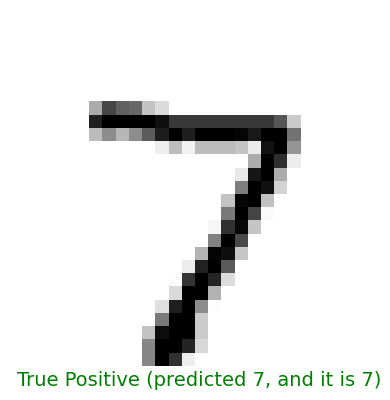
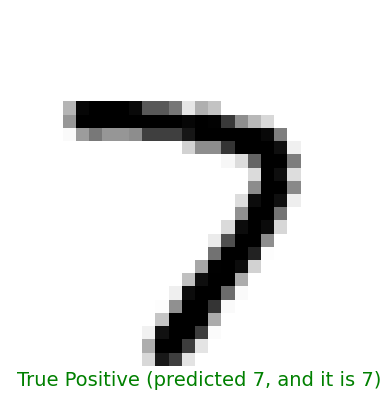
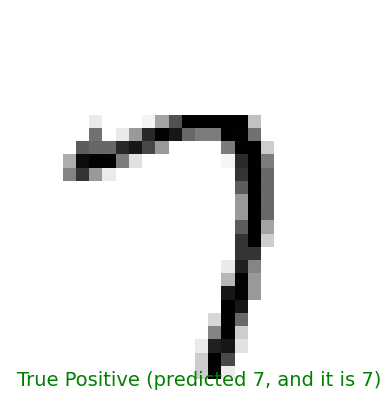
True Positive
# Draw the true positiveimport matplotlib.pyplot as plttrue_positive = (is_7_test ==True) & (y_pred ==True)true_positive_images = test_X[true_positive]for i inrange(3): some_digit = true_positive_images.iloc[i] some_digit_image = some_digit.values.reshape(28, 28) plt.imshow(some_digit_image, cmap='binary') plt.axis('off')# Draw label y on the bottom plt.text(0, 28, 'True Positive (predicted 7, and it is 7)', fontsize=14, color='g') plt.show()
Why not use accuracy?
Accuracy may not be a good metric for classification problem, because the data can be imbalanced.
For example:
99% of the email is not spam
1% of the email is spam
If the model always predict the email as not spam, the accuracy is 99%. But the model is not useful at all.
Confusion Matrix:
Predicted: Not Spam
Predicted: Spam
Actual: Not Spam
99
0
Actual: Spam
1
0
Or in our MNIST example:
When we want to classify if the image is number 7 or not, a model that always predict the image as not 7 will have 90% accuracy.
Source: Hands-on Machine Learning with Scikit-Learn, Keras, and TensorFlow, 2nd Edition
Example:
Predicted: Not 7
Predicted: 7
Actual: Not 7
90
0
Actual: 7
10
0
Recall = 0 / (0 + 10) = 0
Precision = 0 / (0 + 0) = 0
Perfect Recall
Confusion Matrix:
Predicted: Not 7
Predicted: 7
Actual: Not 7
0
90
Actual: 7
0
10
If our model always predict ALL image as 7, the recall will be 100% (10 / (10 + 0) = 1).
Perfect recall means that the model will never miss any 7, but it will also predict many non-7 as 7.
Q: Is "7" seven?
A: Yes, it is seven
Q: Is "7" seven?
A: Yes, it is seven
Q: Is "8" seven?
A: Yes, it is seven
Q: Is "9" seven?
A: Yes, it is seven
Perfect Precision
Confusion Matrix:
Predicted: Not 7
Predicted: 7
Actual: Not 7
90
0
Actual: 7
9
1
If our model is very careful and only predict the image as 7 when it is very sure, we will have a perfect precision.
Perfect precision means that when the model predict the image as 7, it is actually 7. But the model may miss a lot of 7s.
Q: Is "7" seven?
A: Yes, it is seven
Q: Is "8" seven?
A: No, it is not seven
Q: Is "9" seven?
A: No, it is not seven
Q: Is "7" seven?
A: No, it is not seven
Q: Is "7" seven?
A: No, it is not seven
When to use precision and when to use recall?
It depends on the problem.
High Recall
High Recall is prioritized when the cost of false negative is high.
A false negative (a person who has cancer but is predicted as not having it) could lead to lack of treatment and dire health implications.
A false positive (a person who doesn’t have cancer but is predicted as having it) would lead to further tests, which might be stressful and costly but isn’t immediately harmful.
High Precision
High Precision is prioritized when the cost of false positives is high.
A false positive (a legitimate transaction is incorrectly flagged as fraudulent), can lead to customer frustration.
A false negative (missing a fraudulent transaction) may be deemed more acceptable than annoying or alienating a large number of genuine customers.
F1 Score
F1 score is a metric that combines precision and recall.
The F1 score favors classifiers that have similar precision and recall. This is not always what you want: in some contexts you mostly care about precision, and in other contexts you really care about recall.


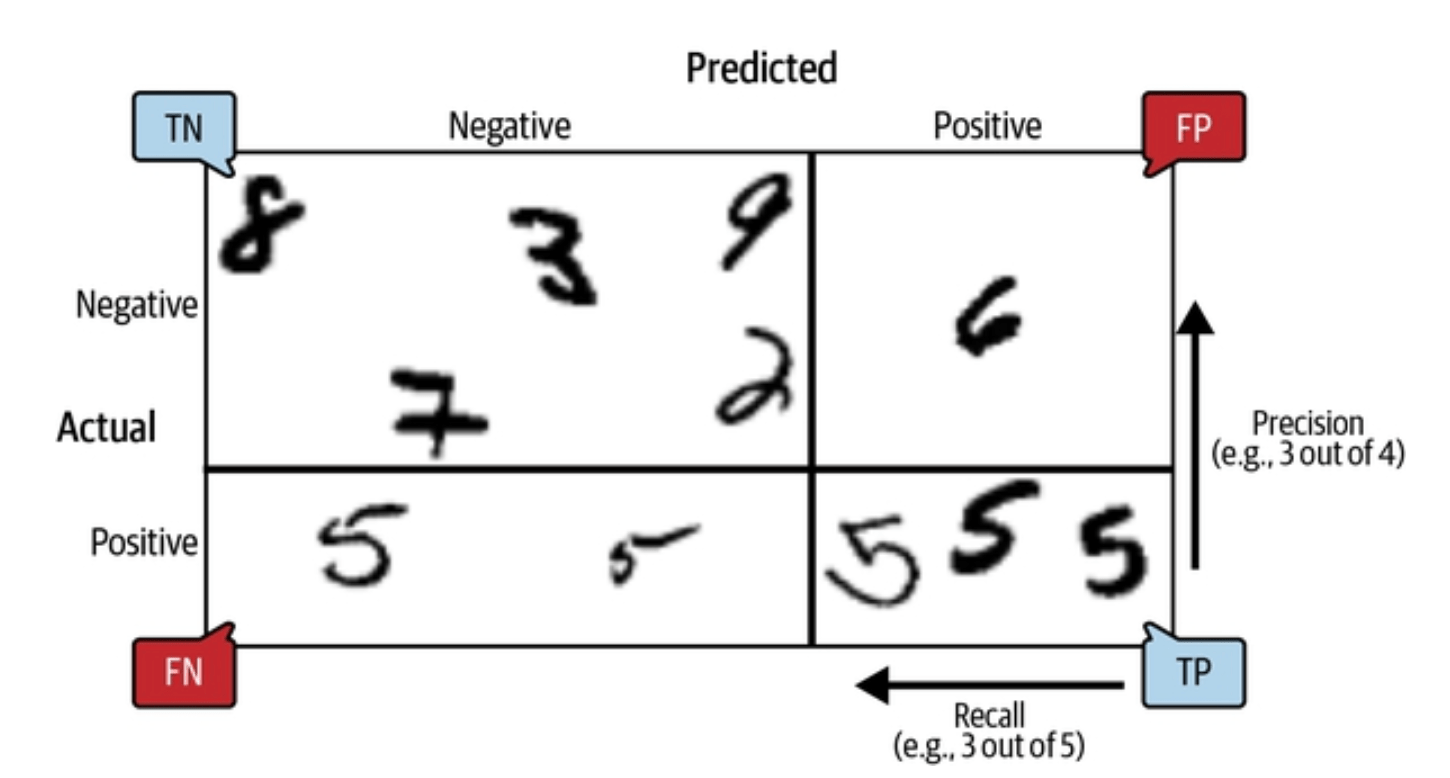 Source: Hands-on Machine Learning with Scikit-Learn, Keras, and TensorFlow, 2nd Edition